TradePlatforms
TradePlatforms
Built for tradies, by tradies.

Your trade. One app.

Your own app, built and customised for your business. From first site visit to final invoice, fully synced with Xero, in one app your crew will actually use.

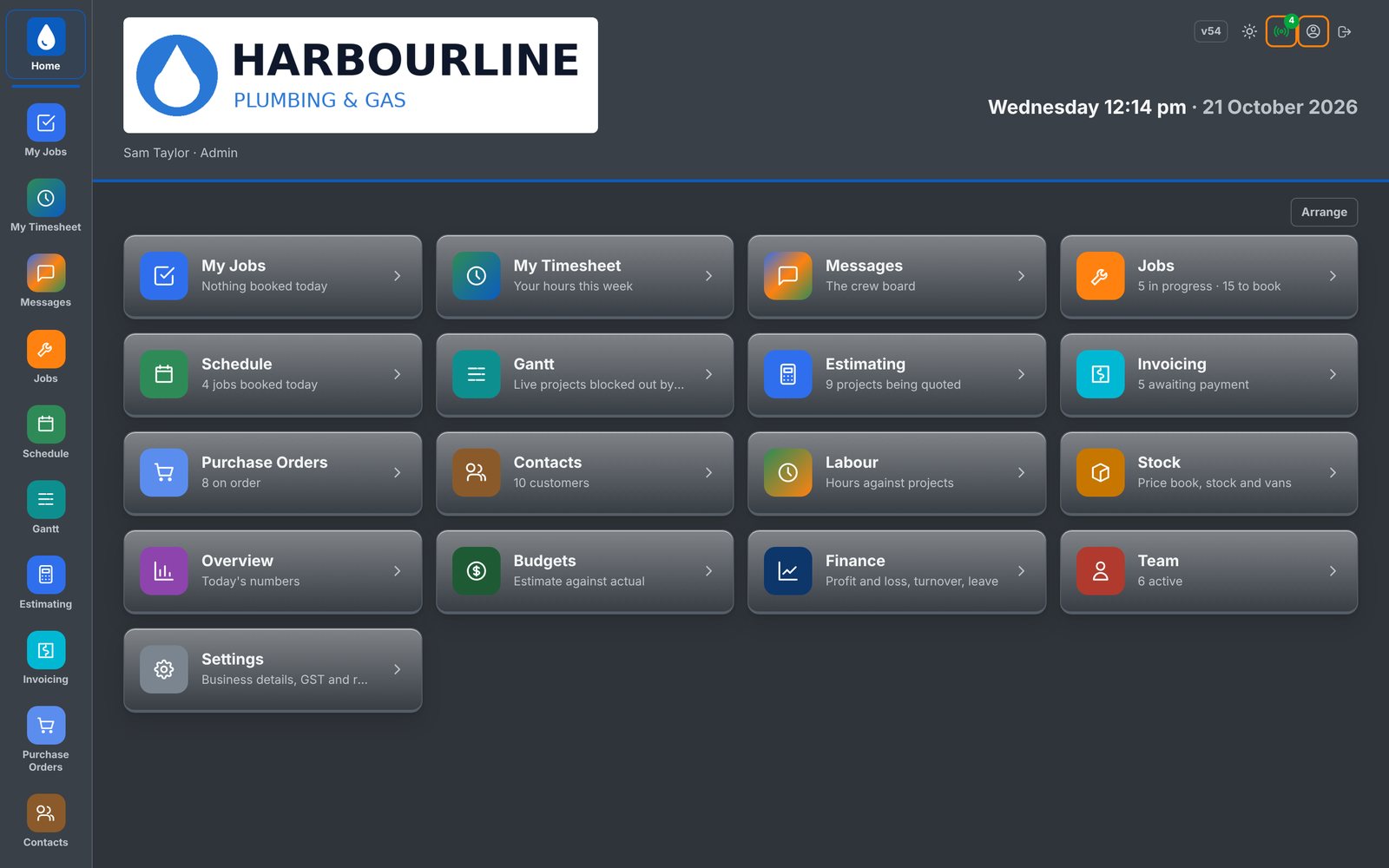
Trade Platforms home screen on a PC, showing every module in dark mode
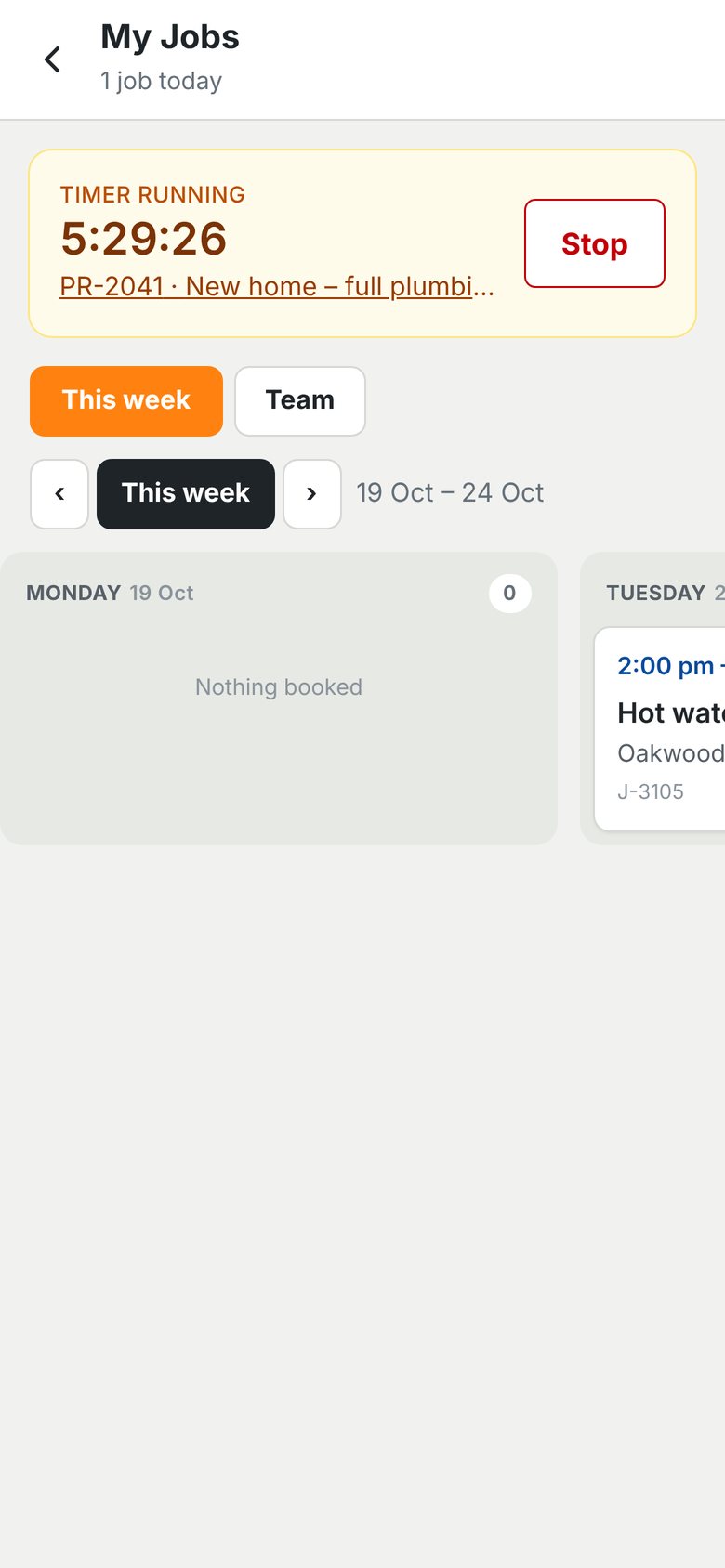
My Jobs screen on a phone with a live job timer running
Customised to your business
Built around how you work
Quote to invoice
In one app
Live timers
Hours on every job
Xero
Two-way sync
iPhone + PC
Site, ute and office
Start scrolling

Pick your Hub.

One platform, set up for your trade. We're launching with electricians and plumbers.

Electrical Hub

Set up for sparkies: site visits, job cards with parts and hours, rough-in and fit-off calendars, photo sign-off and quoting.

Book a demo ›

Plumbers Hub

Set up for plumbers: site visits, service and new-build jobs, job cards, before and after photo sign-off, and quoting.

Book a demo ›

Fabrication Hub

Site measures, drafting and workshop calendars, job cards to the workshop, install sign-off and NCRs.

Book a demo ›

More trades

More Hubs are coming. Tell us what you do and we'll talk about building yours.

Tell us your trade ›

Everything in one app.

Built by tradies. For tradies.

Trade Platforms wasn't dreamed up by a software company. It was built by tradies running a busy trade business on live jobs across South East Queensland, to fix the problems we hit every single day.

Notes scribbled in the ute and typed up again at night. Crews turning up without the right gear. Call-backs fixed, then forgotten. Every module came from a real problem on a real job, and the whole crew uses it daily: on site, on the tools and in the office.

We know the work because we do the work.
Not off the shelf

Built for your business.

Trade Platforms isn't a one-size-fits-all app you have to bend your business around. Every platform is built and customised for your business. We sit down together, work through how you run your jobs, and design the layout and functionality to suit your business exactly.

01

Sit down together

We meet with you and your team and walk through how your business runs, from first enquiry to final invoice.

02

Design your layout

Together we map out the screens, modules and workflow that suit the way you work, in your own words.

03

Build and connect

We build your app, connect it to Xero and load your price lists, crew and branding.

04

Launch and grow

Your crew is up and running on day one, and the app changes as your business does.

What we tailor to you

Screen layout
Modules
Job stages
Job types
Calendars
Crew roles
Approval rules
Price lists
Quote and report layouts
Your terminology
Your branding
Notifications
01

Timesheets.

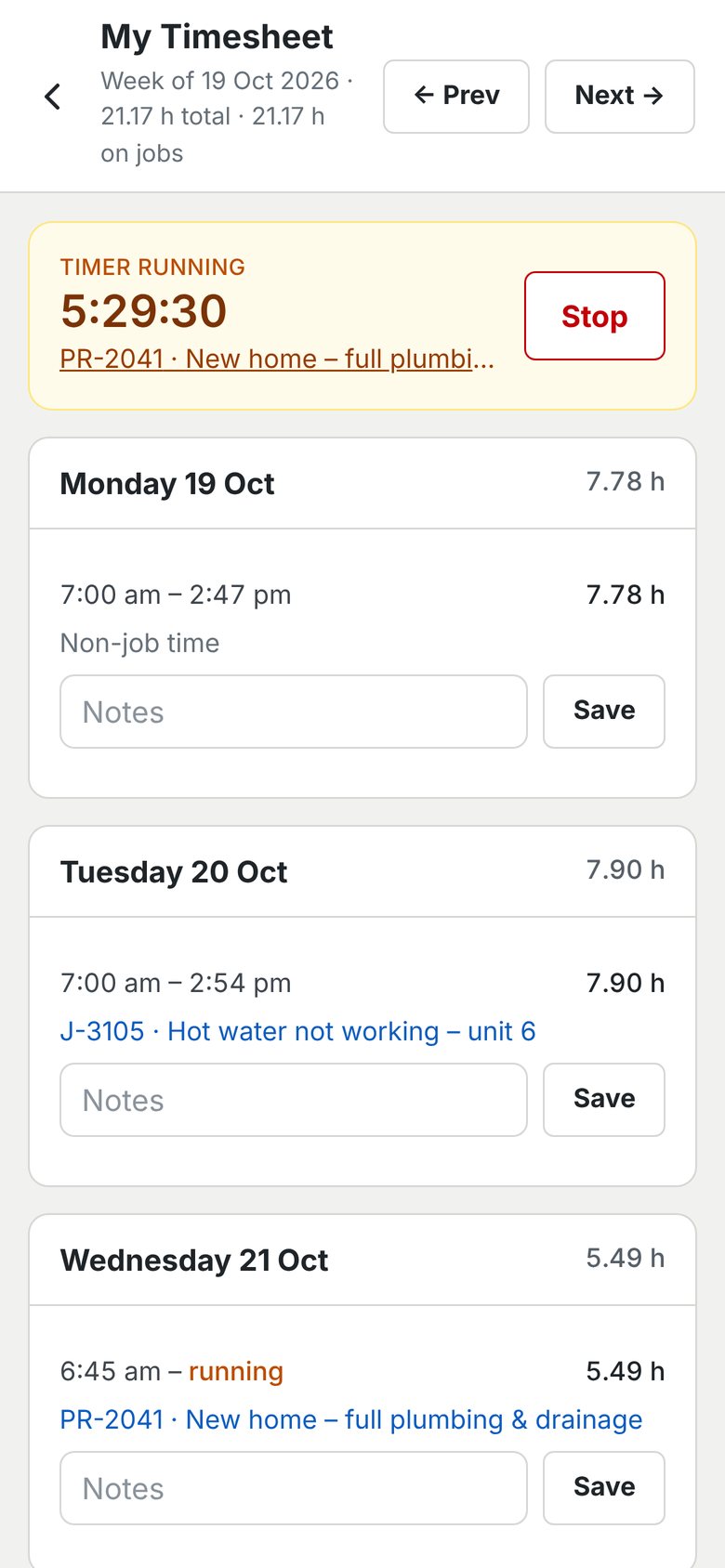
Tap start when you get to the job and stop when you leave. The hours land on the job by themselves.

Read more ›

A live timer on every phone, a weekly timesheet with notes for each day, and non-job time kept separate. No more chasing timesheets on a Friday.

Weekly timesheet on a phone with daily hours and a running timer
02

Job Cards.

Customer, address, call, navigate and the work to do. Everything the crew needs, on one screen.

Read more ›

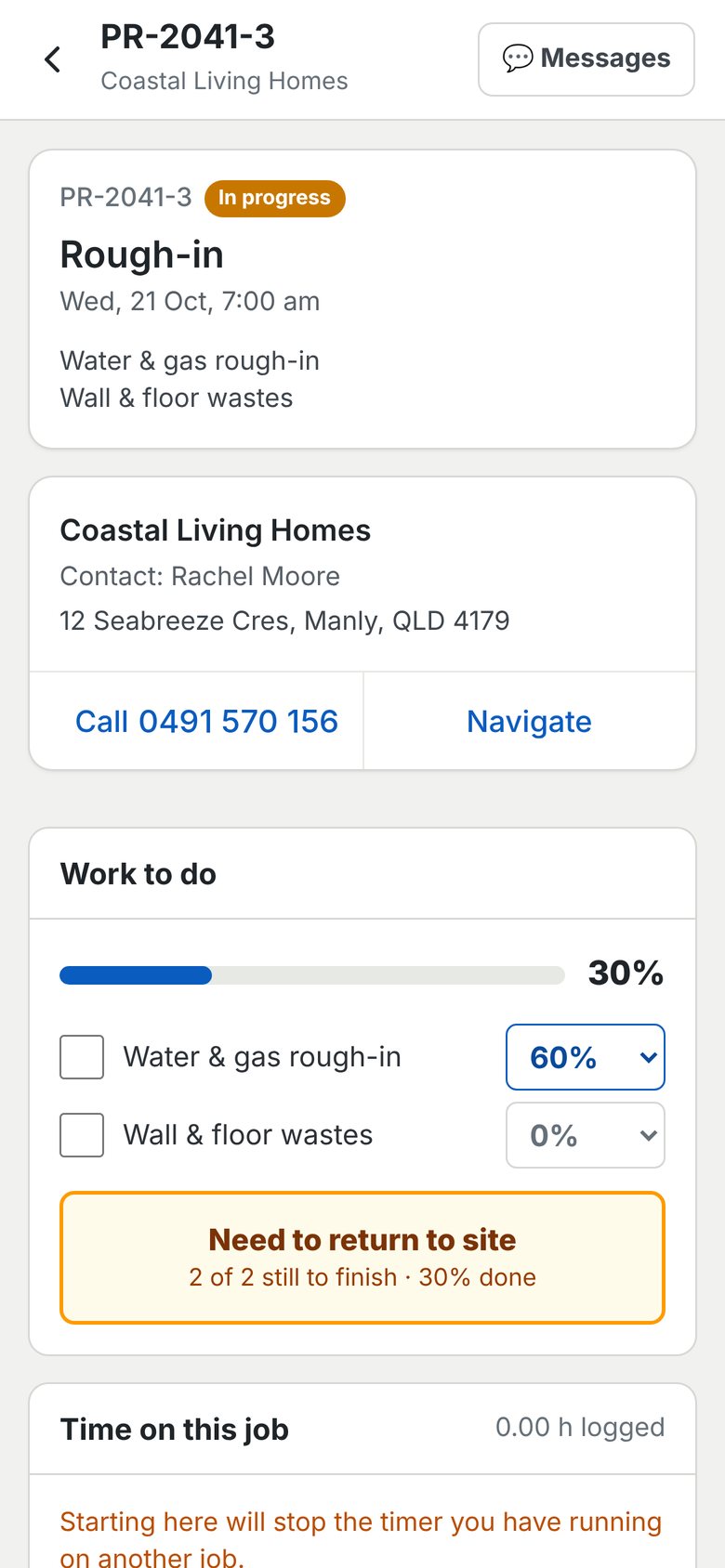
Tick off each task with a percentage complete, flag a return visit, and see the time logged against the job. Messages for the job are one tap away.

Plumbing rough-in job card on a phone with customer details and work to do
03

Jobs Board.

Every won job, stage by stage. Set your own stages, from set out to handover.

Read more ›

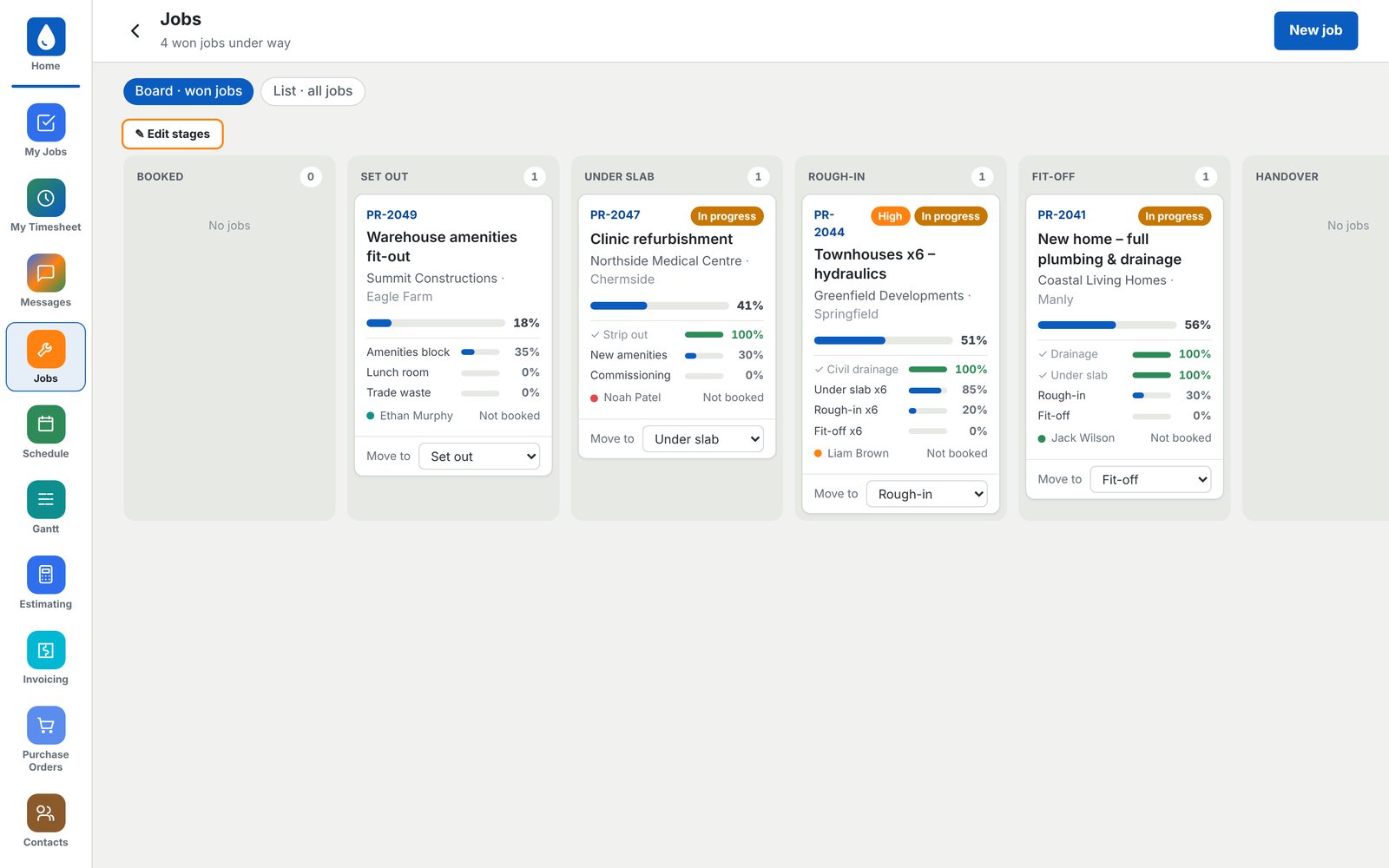
Each card shows progress on every part of the job, who's on it and whether it's booked. Move a job to the next stage in one click.

Jobs board showing won jobs by stage from set out to handover
04

Schedule.

See the whole team's week. Drag a job onto a person's day to book it.

Read more ›

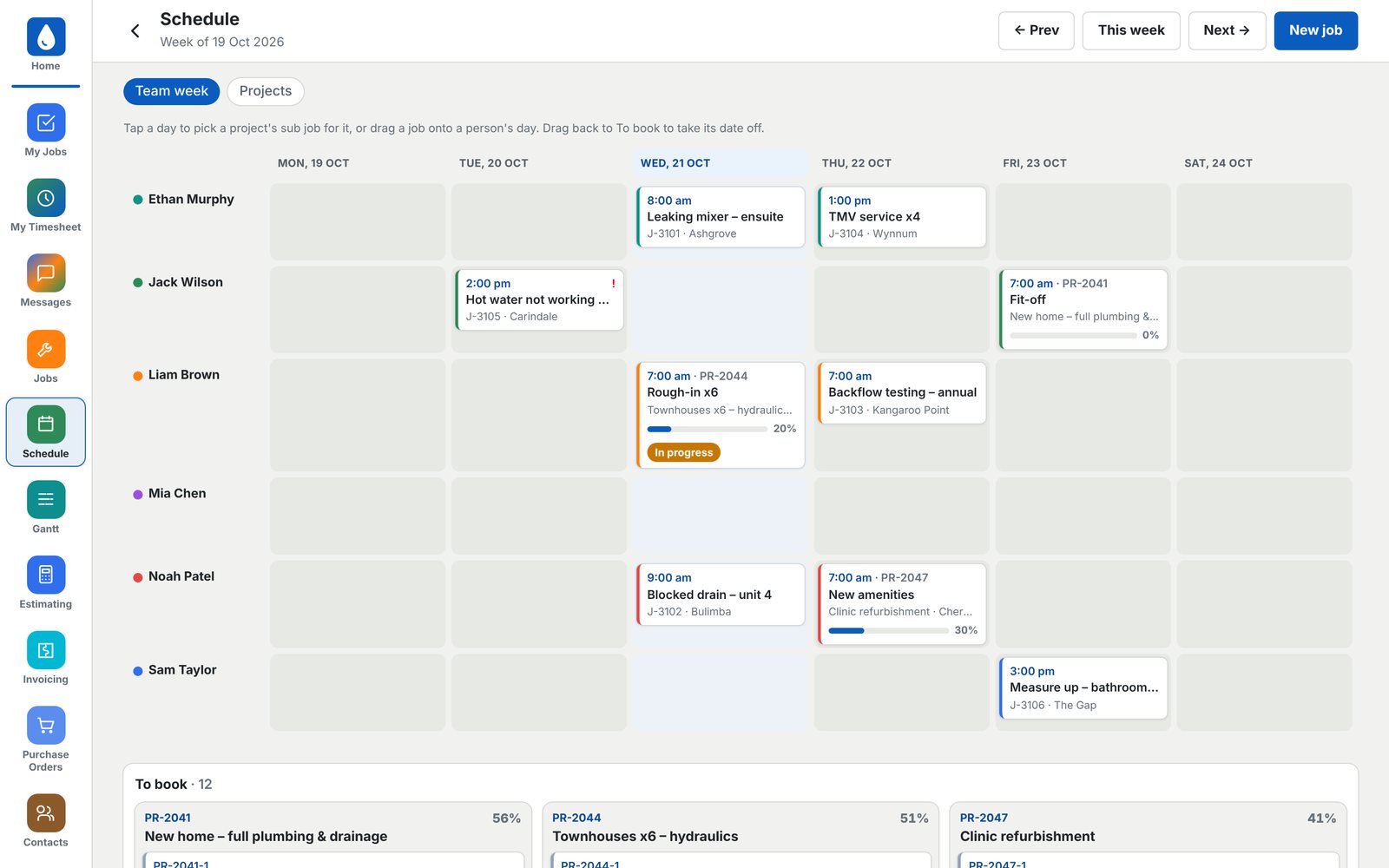
Switch between the team week and project progress. Everything still to book sits underneath, ready to drag in.

Team week schedule with jobs booked onto each person's day
05

Gantt.

Every live project on one timeline, phase by phase.

Read more ›

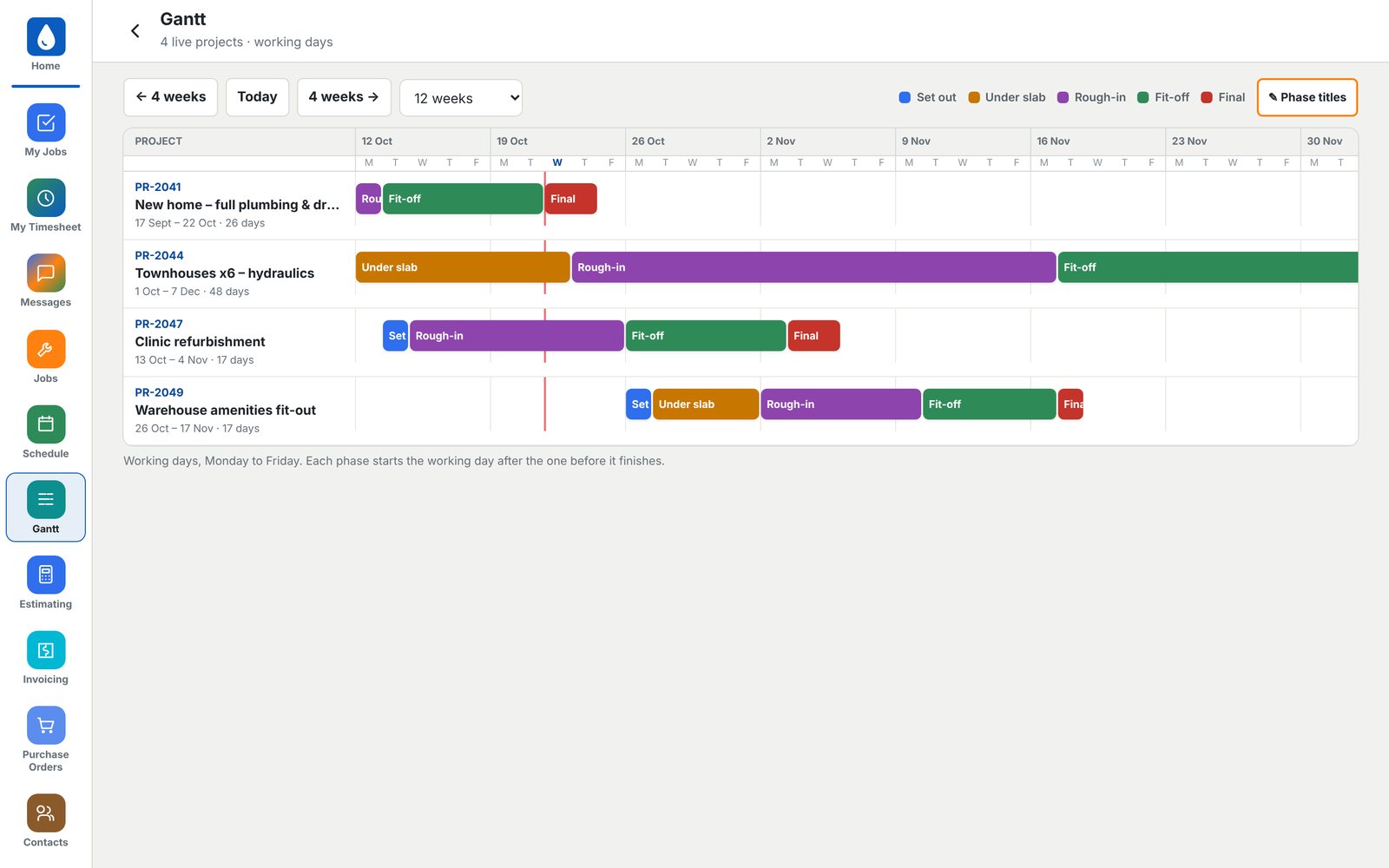
Working days only, Monday to Friday. Each phase starts the day after the one before it finishes, so one change flows through the whole program.

Gantt chart of live plumbing projects by phase
06

Estimating.

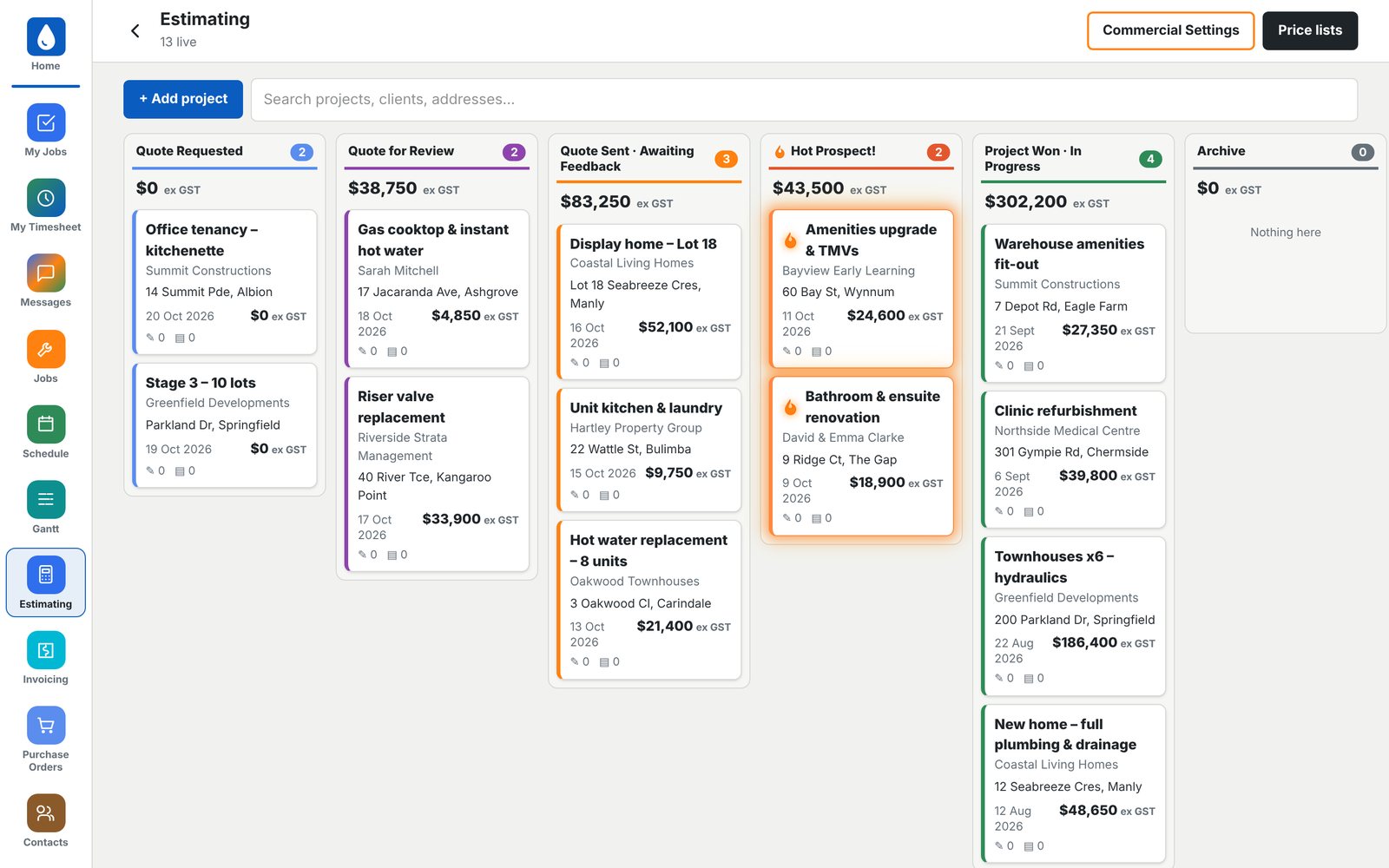
From enquiry to won job, on one board. Know exactly what's in the pipeline.

Read more ›

Quote requested, under review, sent, hot prospect, won. Every column shows its total value, and hot prospects stand out so nothing goes cold.

Estimating board from quote requested to project won
07

Takeoffs.

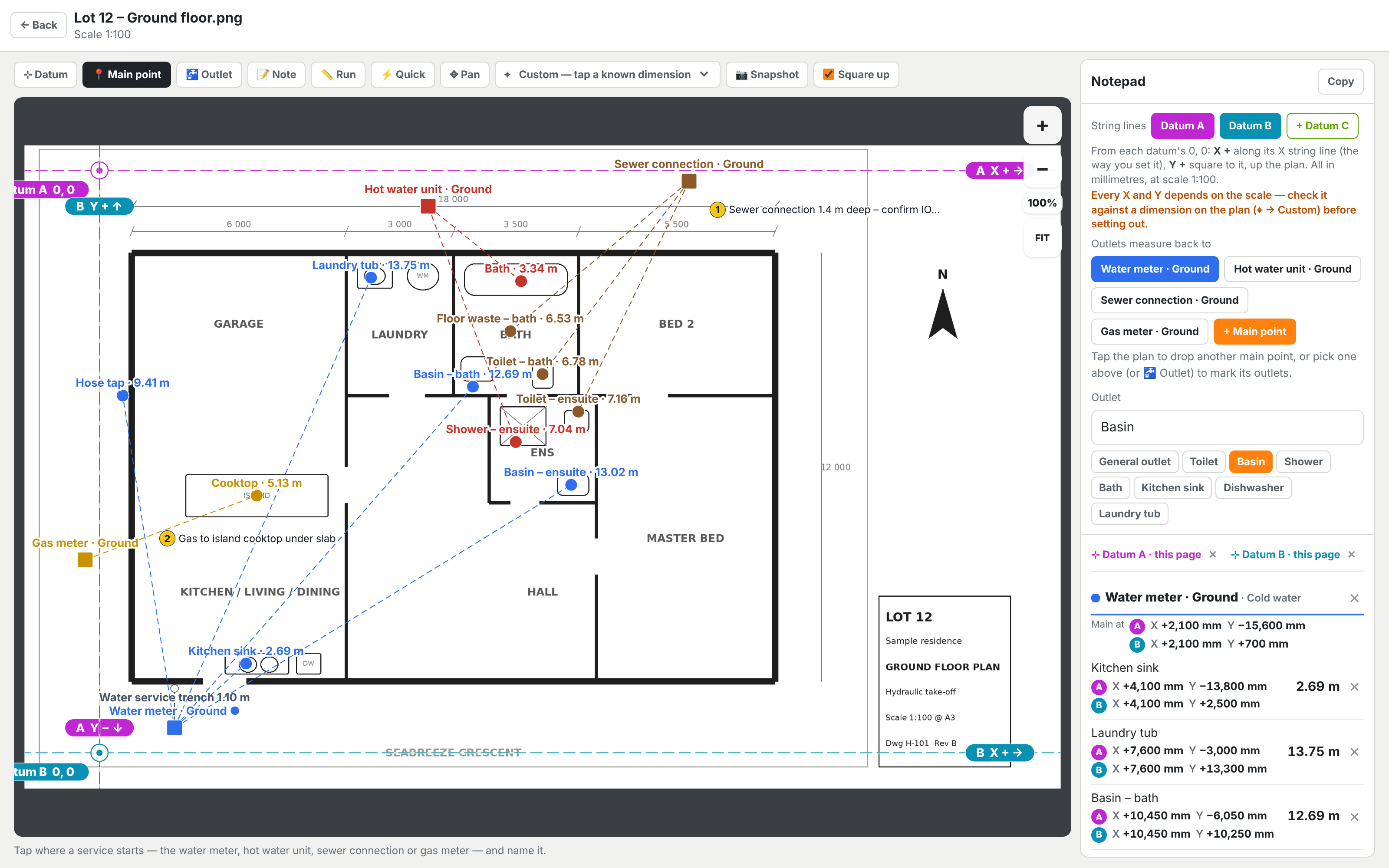
Scale measurements straight off the plans, inside the app. Every run length and set-out point is ready for your estimate.

Read more ›

Load the plan and check the scale against a known dimension. Set your datum lines, mark the water meter, hot water, sewer and gas, then tap each outlet. Run lengths and X and Y set-outs from each datum are worked out for you and collected in a notepad you can copy straight into the estimate or take to site.

Plumbing takeoff on a scaled ground floor plan, with outlet run lengths and set-out points
08

Quotes.

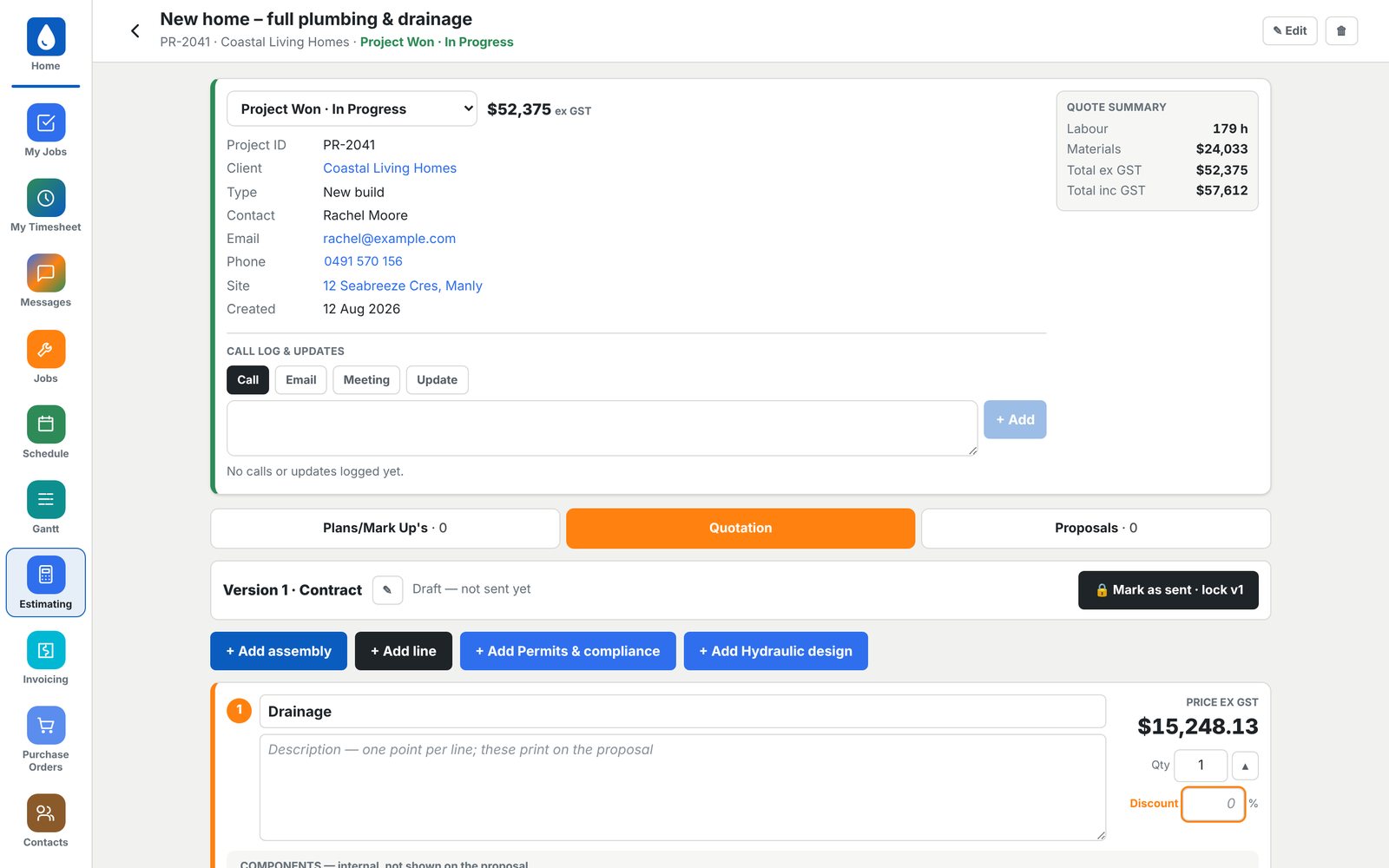
Build quotes from assemblies and your own supplier price lists. Labour and materials add up as you go.

Read more ›

Add assemblies, single lines, permits and design. A quote summary keeps labour hours, materials and totals in view, and each version locks once it's sent.

Project quote with quote summary, labour hours and materials
09

Price Lists.

Your supplier prices, with photos, ready to drop into a quote.

Read more ›

Load each month's price list and build assemblies like an ensuite rough-in once. They price themselves from today's list every time you use them.

Supplier price list with product photos, codes and prices
10

Progress Claims.

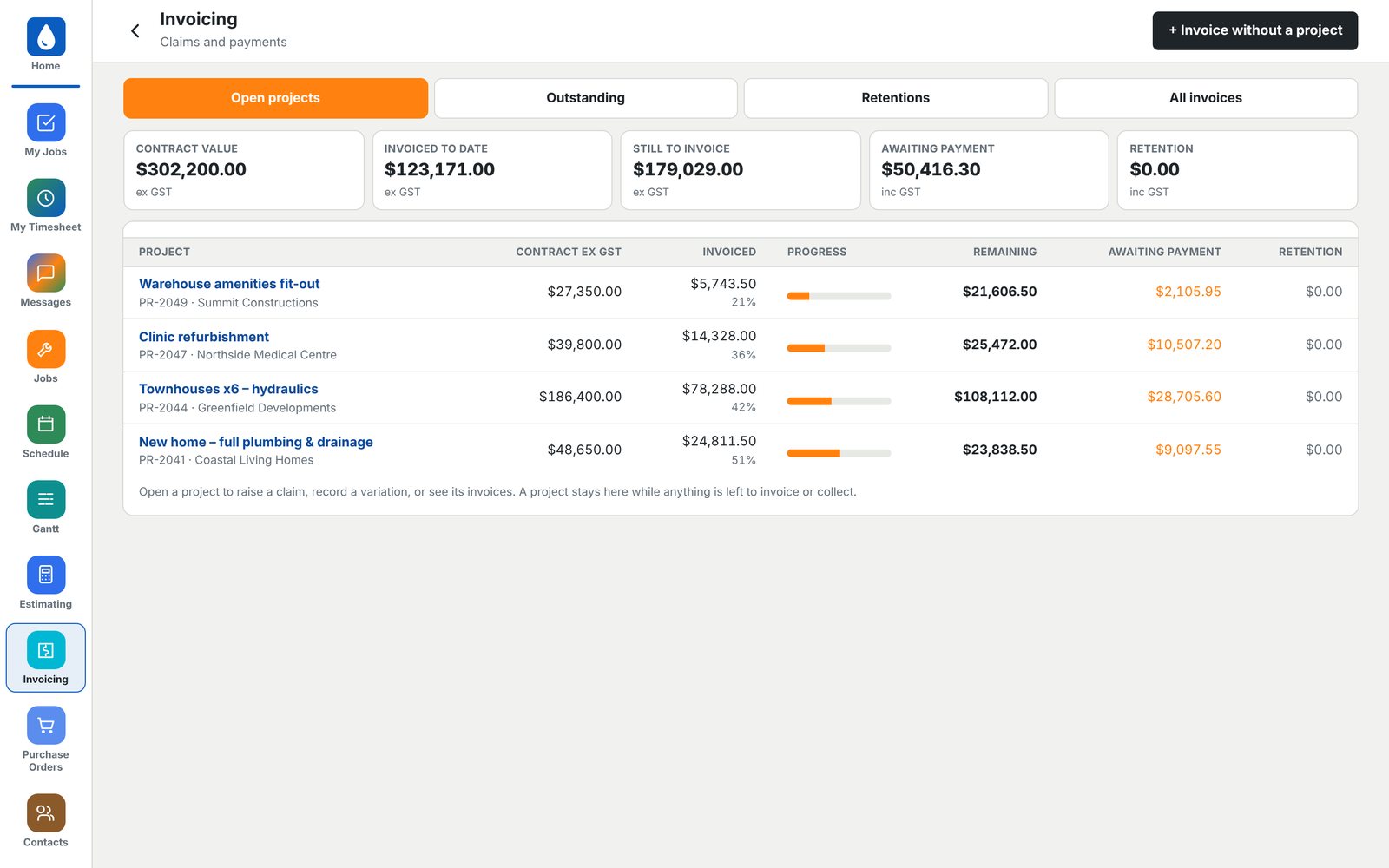
Know what's invoiced, what's left to claim and what's still owed.

Read more ›

Raise claims against each project, record variations and track retentions. Outstanding invoices sit in their own tab so nothing slips through.

Progress claims showing contract value, invoiced to date and awaiting payment
11

Xero.

Fully integrated with Xero, with two-way sync. Make a change in either one and it shows up in the other.

Read more ›

No double entry, no exporting and no copying numbers across at the end of the month. [List what syncs both ways, e.g. contacts, invoices, bills and payments.]

Trade Platforms
Two-way sync
Xero
Accounting
12

Purchase Orders.

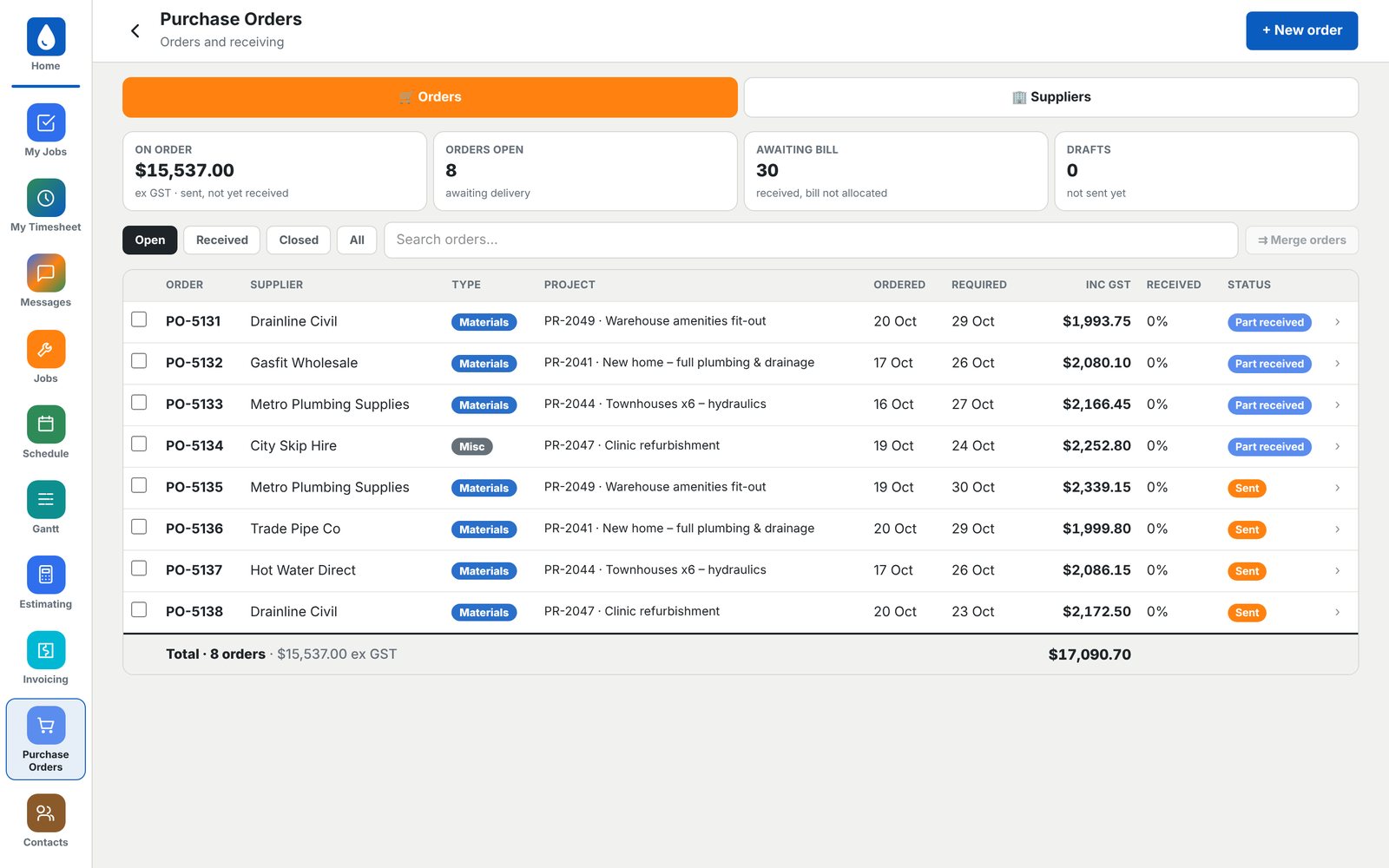
Order materials against the job and see what's arrived and what's still to come.

Read more ›

Every order is tied to a project, so the cost lands on the right budget. Track what's on order, part received and waiting on a bill.

Purchase orders by supplier and project with delivery status
13

Finance.

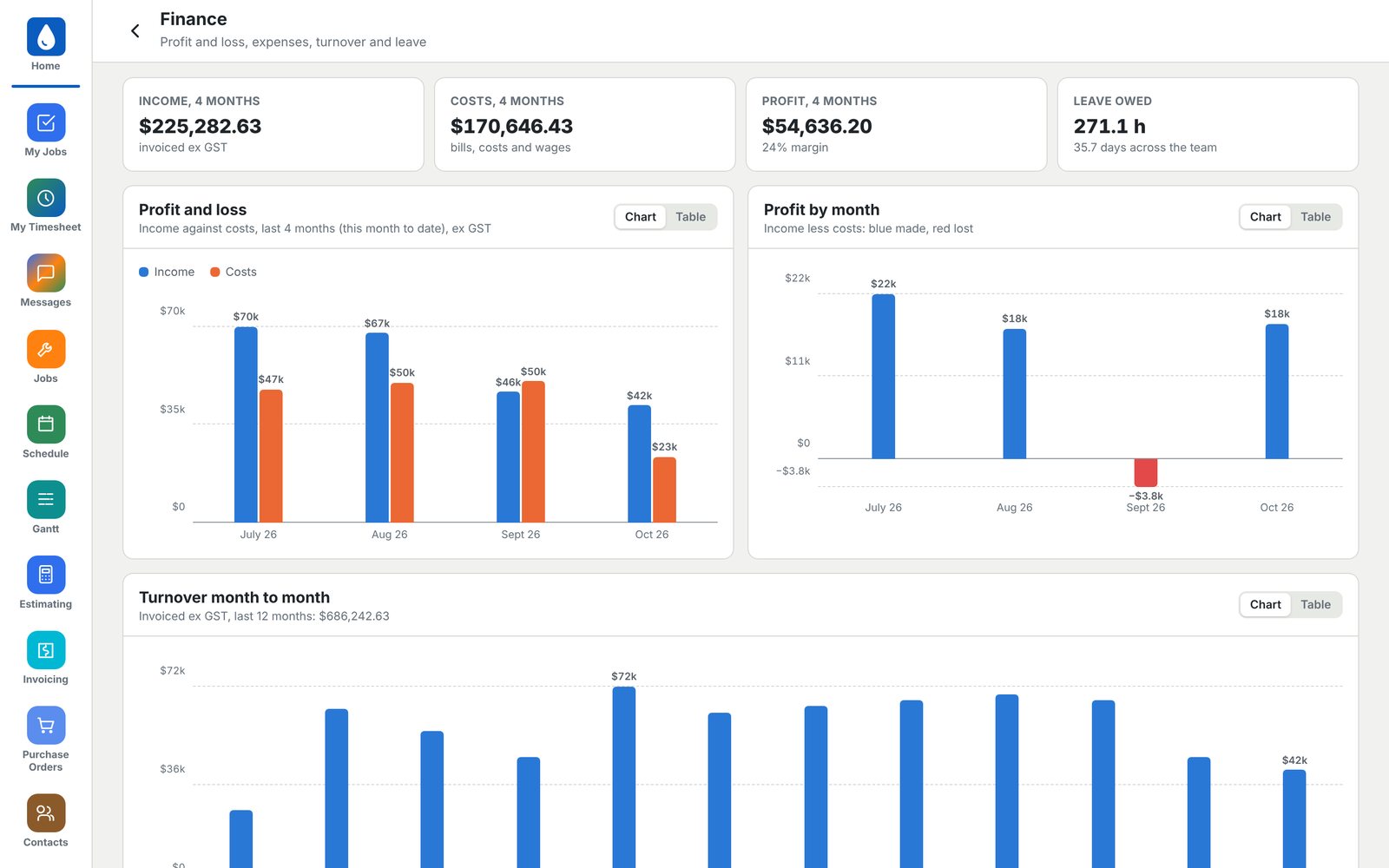
Profit and loss, turnover and leave owed, at a glance.

Read more ›

Income against costs month by month, profit by month, twelve months of turnover and your top expenses. Budgets track every project's estimate against actual.

Finance dashboard with profit and loss, profit by month and turnover
14

Labour.

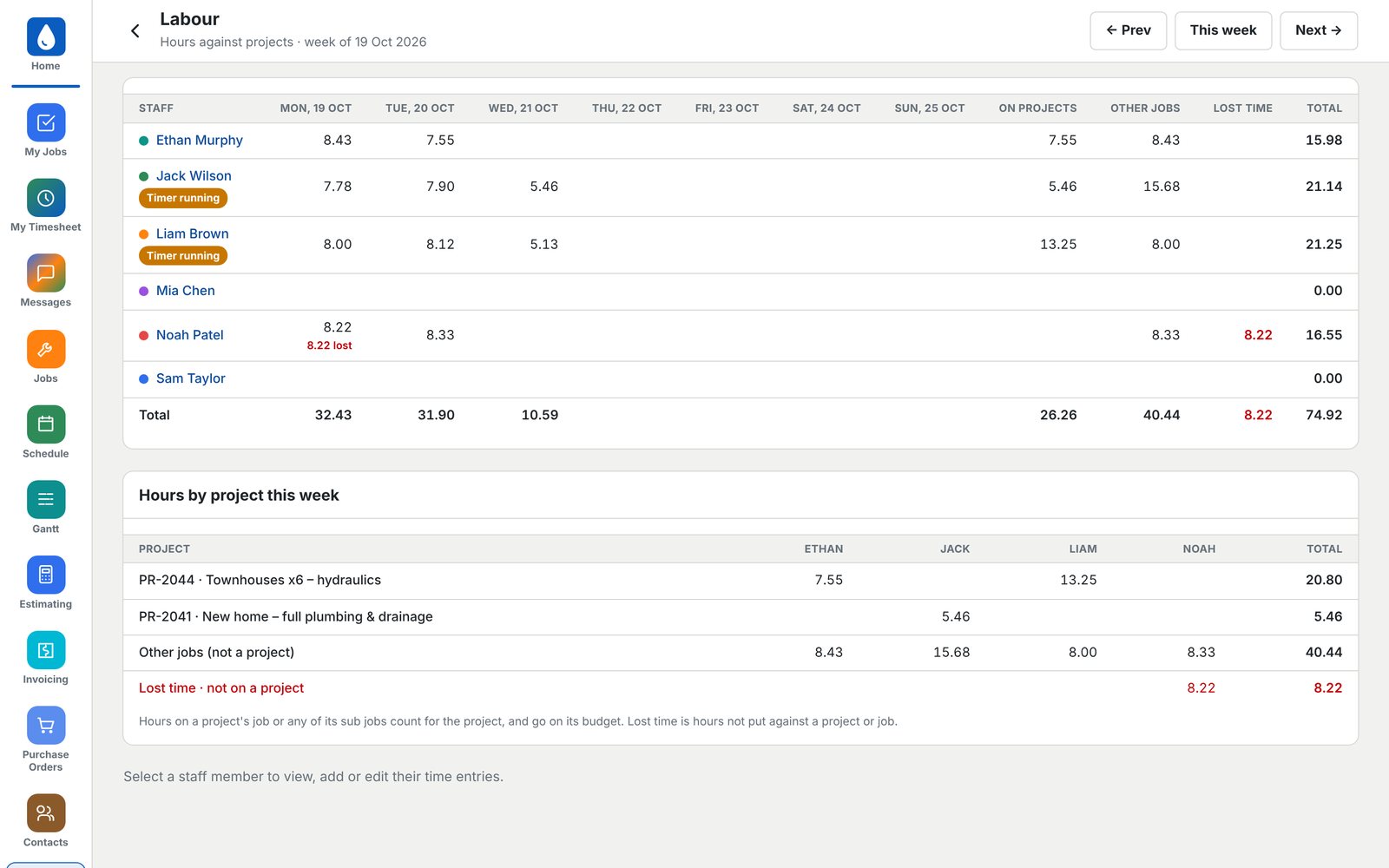
Every hour, against every project. Spot lost time before it costs you.

Read more ›

See each person's week, who has a timer running, and hours split between projects, other jobs and lost time.

Labour report of staff hours against projects for the week
15

Crew Messaging.

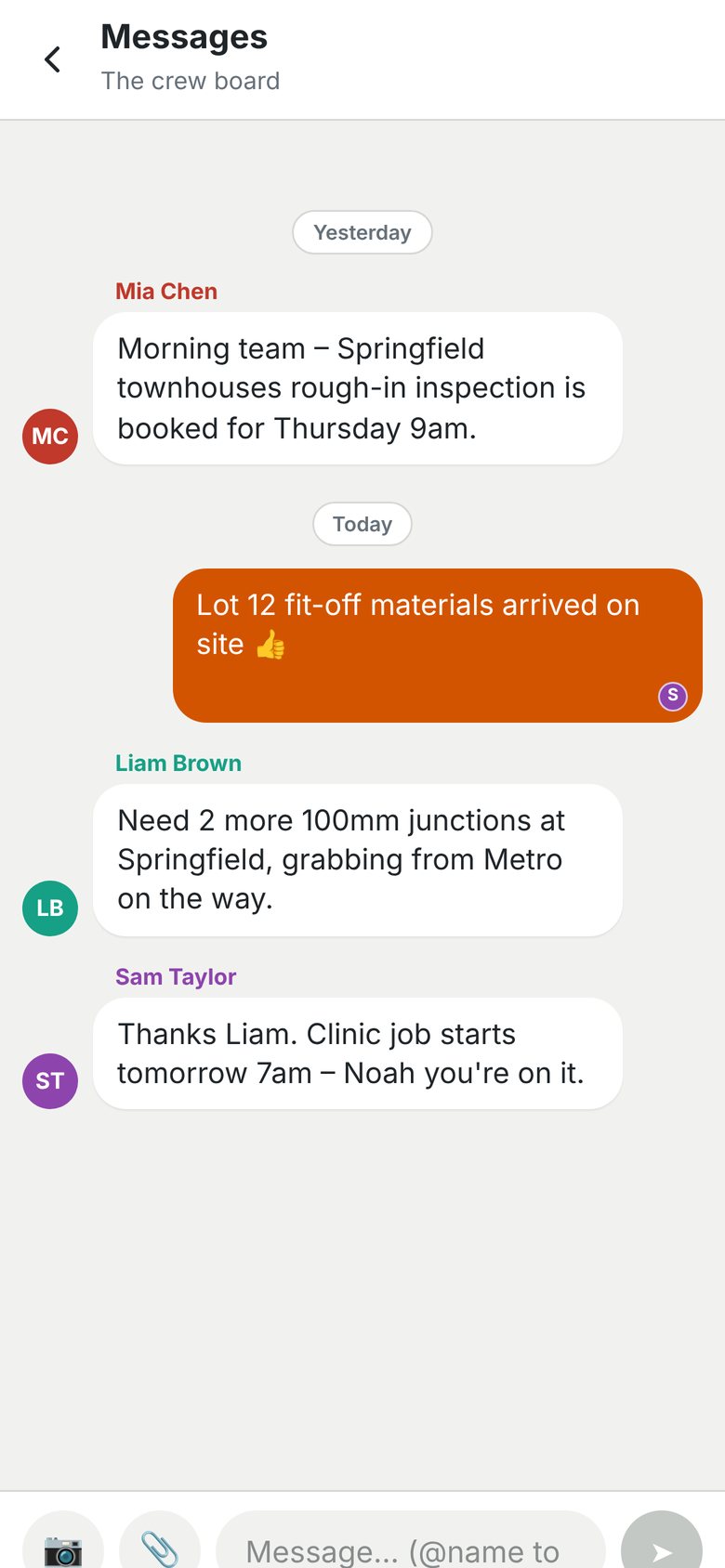
One board for the whole team, on every phone and PC.

Read more ›

Photos, files and @mentions to tag someone. No more chasing people across texts, emails and three different group chats.

Crew message board on a phone

Made in Brisbane.

Designed, built and supported in Brisbane by people who run a trade business, not a software company guessing at one.

Book a demo.

See it running on live jobs, and talk through what your Hub could look like.

Thank you! Your submission has been received!
Oops! Something went wrong while submitting the form.
Brisbane, Queensland